Friday, August 7, 2020

Importance of Sharing Presentation Online

Presentations are an integral part of Corporate World as it connects everybody on-board with new ideas and it is one of the best mediums to display your ideas in a better way. Presentations are not just limited to Corporate or Business world but today most people make and share their presentations Online as sharing presentations online has a bundle of benefits. Here, I am sharing with you some of the benefits that give it a look.

Benefits of Sharing Presentations Online

  • Open Presentations Hassle-Free: Now, by sharing presentation online you can open your presentations hassle-free by avoiding several presentation opening software and just sharing presentations on presentation submission websites like SharePresentation.
  • Generating Leads: Online Presentations are one of the best ways of generating leads. Just target your niche audience and make the presentation Informative and share on online platforms which can help you in generating leads.
  • Global Attention: When the word Online comes, means now you are working globally. By sharing your presentations online you will get global reach and you can attract customers globally.
  • Privacy: Today, Data Privacy is one of the main things which we have to focus on. Sharing Presentation online also cause privacy issues. But with SharePresentation you can share your presentation in both Public and Private Ways hassle-free.
  • Better SEO: Now, Presentations are not only to target your customers but presentations also helps in improving your website SEO. By sharing your content on different Presentation sharing website like SharePresentation it will benefit to your website Authority and better Google SERP (Search Engine Result Page) Ranking.
  • Optimize Social Media: By making your presentations Informative you can also attract many users on Social Media and you can optimize your Social Media Platforms by sharing that informative data.

Tips to Optimize Online Presentations


  • Use more Visuals and Graphics.
  • Always enter the Image Source.
  • Use more Graphs and Statistics to present Statistical Data.
  • Make the Presentation Simple & Informative.
  • Don’t use too many animations after every slide.
  • Choose Template relevant to the data you are presenting.
  • Don’t Overload slides present your information in 10 – 15 slides.
  • Develop your own style of presenting the Information.
So, these are the several benefits of sharing presentations online. Also, do visit our website SharePresentation and share your presentations here. If you have any advice for our website then do comment. We will definitely look up to your advice.

Thursday, July 30, 2020

What are the benefits of Video Marketing?

Everyone loves to watch the video. Especially during this pandemic most of the companies launched many free courses to promote their brand. Whether it is for personal use or professional use, Demand for video marketing has been increased. Whether it’s a small business or an MNC all of the companies are choosing video marketing as their brand promotion platform.

Benefits of Video Marketing

Content Visualization: Most of the people would love to watch video instead of reading long articles and blogs. It is proven that more than 90% of B2b companies used video advertisement for their business.

Online Engagement: Video is now the most sharing and loving content on social media. According to a fact, more than 700+ videos have been shared every minute on Twitter. In a research, it is found that most of the executives of an organization love to watch short videos to learn new skills.

Video Generate Leads: People usually trust a brand by its presenting style. For example: We watch ads of multiple products on TV they make their brand image strong my showing video ads to attract the customers.

Search engine presence: every search engine love videos. If you are trying to rank a keyword then you will see the major video results of that particular keyword on Google or any search engine. You can embed your videos on your PPTs and can convert that ppt to html5 with the help of the best Document conversion API i.e. Xembedo.

Personalized short videos: If you send a personalized short video to clients than the chances are high to get hired by a long term client.

Webinars:
During this lockdown, most of us become house arrest while most of the other marketers are earning money by using video conferencing tools like zoom.

Wednesday, July 29, 2020

Ways to Improve your Presentation Skills


Presentation Skills are very important as The content you are presenting to the Audience. Public speaking skills matter a lot in the audience engagement. We always say that Content is the King but before content, we have to develop good presenting skills to deliver that content. I am sharing with you certain ways by which you can upgrade not just only Public Speaking skills but also more confidence. So, just read out the following ways to improve your presentation skills: -


  • Audience Interest: While making the presentation you have to research the target interest of the audience. Make the presentation to the point and more concentrate on the goals and targets the audience is looking for. Present the content by which you get more audience engagement.

  • Structure of Presentation: You have to design a particular structure of the presentation you are delivering. Make sure you start with the brief information of the data you will present than the main body of the presentation which includes all the content and statistics of the presentation and then the conclusion.

  • Storytelling: Storytelling is one of the best ways to get the audience's attention. You can explain your content by using the Storytelling method. Today, the attention span of the audience is very less. By Storytelling, you can explain the content very well and it has the power to convert the audience into leads.

  • Statistics and Graphs: Now, try to explain the data more in statistical form. By this method, you can easily explain the data analysis, and also by graphs, the picture is clear as a mirror. So, do add statistics in your presentation, it also helps you to present the presentation in an easier way.

  • Humour: Never present the presentation in a very serious mood. Present your presentation with some humour so that the audience didn’t get bored. Don’t try to crack jokes in the middle of the presentation just add humour in the content you are presenting.

  • Create your own Content: Never copy the content of the presentation. You can never present a good presentation if you are just copying the content. Make your own content so that you can Be Yourself while presenting the presentation. If the content is yours then you know the stuff you are presenting and you also know how to present that stuff.

  • Use Visuals and graphics: Try to add some Visuals and Graphics in your presentation if possible. As, by adding visuals your presentation looks more premium, and also, the audience gets involved in it.

  • Practice and Improve: Now, you have to practice and find the mistakes you have done in the last presentation and remember that you do not repeat those mistakes.

So, these are some interesting ways in which you can improve your Presentation Skills. Also, sharing your presentations online is one of the best ways to spread education. So, do share presentations online at SharePresentation Website.


Tuesday, January 29, 2019

Best Platforms for Sharing Presentations Online

First thing first, what are the presentation sharing websites and what’s their purpose? Well, a presentation sharing website is an online platform, where you can share PPTs and other documents. But, why share PPTs online? The main target of the presentations is to educate people, and if it's on a global level, what can be better than that? Being an online platform, it supports a huge worldwide community, and the presentations are open to an unlimited audience. So through those websites, the PPTs can easily reach to the people who really need them.

Also, these websites provide you with easy PPT to HTML5 conversion as well as multiple sharing options. There are several online platforms where you can submit and share your presentations, including the following best ones:

SharePresentation: SharePresentation.com is another leading name among the popular presentation sharing websites. The website provides you with unlimited uploads and free cloud storage for the uploads. Share Presentation also grants you with various sharing and embedding options for the presentation. The website offers faster PPT to HTML5 conversion, keeping the design of the presentation unaltered. The responsive website lets you view the document on different devices without changing the actual design of the PPT.

authorSTREAM: authorSTREAM is a popular presentation website that allows its users to upload files up to 1GB. It supports all types of presentation formats, including the Microsoft PowerPoint presentation as well as the Apple’s Keynote. After uploading the presentation on authorSTREAM, you can share them on various social media platforms, through email or embed it to your blog. You can also broadcast the presentation live on the platform. The website also enables you to convert the presentations into a video format.

SlideShare: SlideShare is one of the oldest and one of the most used presentation sharing websites, around the world. The website lets you upload files including PowerPoint, PDF, Keynote, and OpenDocument presentations. It also provides the facility to share and embed the presentation to various different social media platforms. Having millions of users, the platform helps you reach to a larger audience.

Issuu: Issuu lets you distribute your digital content on the web and monetize it according to your needs. The platform allows you to upload the different formats of documents, including PDF, Word document, Powerpoint, etc. It is an easy-to-use platform, which is accessible from your desktop, laptop, tablet as well as your Smartphone. The website provides you with free as well as paid subscription plans, depending on what features you choose to use.

Scribd: With its subscription plan, Scribd gives you the access to unlimited online PPTs, emagazines, audiobooks and ebooks. The platform is best suited for the people who want to upload their PPTs and make it visible to the people all around the world. And for the readers too, who loves reading new content, the platform serves the purpose really well. Scribd is like the Netflix for Books and PPTs. The monthly subscription plan for Scribd starts at $8.99 USD a month. You can use the service at any place, anytime on any device.
Edocr: Edocr is one of the best tools for enhancing the SEO of your product. It is a free digital platform where you can upload the presentations as well as track the viewers for your presentations. Edocr also allows you to embed your PPTs to your web pages quite easily. It also provides you with a premium subscription plan, through which you can integrate it with your CRM and manage all of your lead capture forces, in one centralized location.

SlideWorld: This presentation sharing website allows you to access hundreds of presentations within this platform and numerous presentation on the web. The portal has embedded a web browser into it that lets you search presentations outside SlideWorld. It also provides you with utilities like templates, backgrounds and themes etc. On SlideWorld, you can create and share beautiful presentation instantly.

SlideBoom: It's another slide hosting platform, which allows you to upload and share your presentation online without interfering with the design and look of the presentation. The platform supports 100 different languages and hosts files including PPTs, Visual CV, Portfolio eCards, Virtual tours, etc. It offers three types of subscription plans, i.e. Guest, Free and Pro subscription plan. On the platform, you can also create your own group or can join other groups in the community.

SlideServe: Like the other presentation sharing websites, SlideServe also lets you upload and share your presentation on it. The platform allows easy upload and easy embedding features. It converts the presentation into flash and keeps the design intact. It provides the unlimited uploads and lets you share the presentation with people worldwide.

PowerShow: PowerShow not only lets you upload and share the presentations, but also provides a wide range of tools to create one. The platform has got support for hundreds of templates, graphics presentation tools, multimedia, animation effects and compatibility with PPT, Flash and PDF formats. The PowerShow is a paid application which costs $69.00 for the standard and $99.00 for its premium version.

The presentation sharing websites have become a powerful tool to enhance the business of every type and get leads for them. If you are also seeking new SEO techniques for your business, don’t delay and try out sharing your business PPTs on those websites.

Wednesday, January 31, 2018

Importance of Presentation Submission in SEO

Ppt/pdf submissions play a vital role in content marketing, as SEO experts have a saying "content is king". You'll hear that phrase many times when it comes to SEO success. Therefore, if you are planning to include customized share presentation in your schedule, then you should consider the following websites;


Slideshare

Slideshare offers a wide variety of opportunities to content marketers through the use of its user-friendly features such as;
  • Secure user access control options
  • Automized notifications for easy follow-ups
  • Free optimized search functionality
  • Instant messaging for improved communication
  • Permits a wide range of collaboration tools
  • Secure file management options and easy files transfer
  • Tailor-made branding, and much more.
Users of the platform enjoy increased SEO as they share their content on LinkedIn, embed videos from YouTube hence enjoying massive exposure and the use of inks on content for better call-to-action experiences.Additionally, the platform offers special structures that help one to come up with interesting content in their share presentation.

Sharepresentation.com

Share Presentation is a platform that makes it possible for individuals to upload and share their content to various audiences.The platform is well versed with features such as;
  • Easy ppt uploads
  • User-friendly PPT sharing website
  • Various categories
  • Great branding opportunities
  • Social media sharing
  • Easy access to related content
Users of the website enjoy extra SEO through sharing their content on social media platforms.

Authorstream

Through the use of authorstream, content marketers are able to share their presentations online to an increasing audience. The website is well equipped with user-friendly features such as;
  • Live video narration ppt
  • Extensive premium features for better experiences
  • Authorstream channels for those in the production industry
  • Authorstream API for integrated user services to websites/blogs
  • Easy sharing to Facebook, etc
The websites are set for maximum SEO benefits through, seamless content sharing options to social media platforms such as Facebook and YouTube. Consequently, users are allowed to use links and URLs in their content for simple traffic.


Issuu

If you are a publisher, then issuu is a place to be. The platform connects publishers with their readers. With awesome features such as
  • Subscription options for readers and the embedding of links to websites/blogs
  • Publishers are able to get more traffic to their landing pages
  • Hence increasing their visibility in search engines.
  • Some of the unique features of the website include
  • Conversion of pdf
  • Documents to flip-pages
  • Zooming screens for easy readability
  • Unlimited publishing
  • Easy sharing of publications to social media pages
Scribd

Scribd is a digital eBook library that readers get to enjoy access to a wide variety of books in different genres. The website offers incredible user-friendly features such as;
  •     Unlimited access to awesome articles
  •     Unlimited access to audio and video books
  •     Preview benefits before confirmation of purchases
  •     Awarding of monthly credits to users for better exploitation
  •     Unlimited access to books, etc
Publishers whose content are most sought enjoy maximum SEO as the books keep circulating on a monthly basis to a wide range of audience. The premium subscription also offers great opportunities for authors.

In conclusion

It is important to know the right platforms to use in your share presentation for maximum benefits. Each platform stated above has its own unique features you could exploit in whatever line of business.

Thursday, April 28, 2016

Xembedo: Presentation and Document Conversion API

Presentation and document sharing is well known concept today. Few years back when Slideshare and Scribd started online presentation and document sharing, for most it was a new concept. Even the back end technology empowering content conversion and viewing was proprietary and limited to these platforms only. Every document or presentation sharing use case of an LMS, live conferencing tool or content management platform required in-house development of such conversion engines thus increasing the overall delivery time, cost and overhead.

But, thanks to numerous document conversion APIs available today, you can start a presentation sharing platform or for that matter a conferencing tool in a week. You just need to concentrate on core piece of your product and not the content layer.

Over time with diminishing focus on Flash and increasing mobile applications, document conversion engines too have shifted towards non flash based output. Xembedo is one such document and presentation conversion API that converts PowerPoint presentations (PPT,PPTX), documents (DOCX, DOC) and Adobe PDF files to HTML embeds. Being based on SVG, Xembedo offers high quality embeds on desktop as well as mobile devices.

Xembedo API can be used for use cases like-
  • ELearning (LMS, Apps)- ELearning platforms that need to display documents within website or apps
  • Productivity apps like Slack- Productivity apps having use cases where different users exchange files which are required to be displayed or annotated within website or app
  • Conference or webinar apps- Xembedo API enables view and  document collaboration during conference calls
  • Cloud content management- Any use case that requires view, share or management of documents online

Friday, January 29, 2016

Top 9 features of PowerPoint 2016 you should give a try

Microsoft PowerPoint 2016 is rich in features and will make presentation creation a fun. It requires at least 1 GB RAM (32 bit) or 2 GB RAM for 64 bit machine. PowerPoint 2016 works only on Windows7 and above and requires at least 1280 x 800 resolution.

Here are few features worth mentioning.

1. Better video output
Now you can create presentation videos (MP4) having resolution as high as 1920 x 1080, which plays great on larger screens.

2. Share presentations
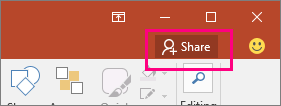
In PowerPoint 2016 you can share your presentation with others using OneDrive or Office 365 SharePoint. You would see share option on ribbon but before you share, presentation has to be shared on OneDrive or Office365.

Shows the Share button on the ribbon in PowerPoint 2016

3. Screen capture
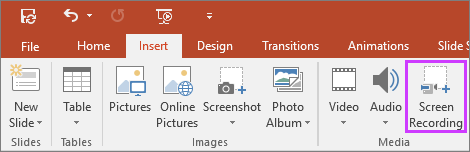
The much awaited feature now lets you capture specific area of the screen and insert it directly into your presentation.

Shows insert screen recording button in PowerPoint2016

4. Advance equation editor
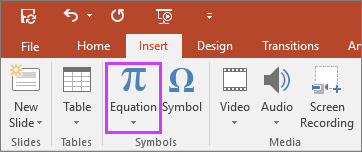
Now in addition to inserting pre-formatted equations, you can also write equations and PowerPoint will convert them into text. On a mobile or tablet device, you can use your finger or a touch stylus to write math equations by hand, and PowerPoint will convert that into text.

Shows insert equations button on the ribbon in PowerPoint

5. Smart lookup
While creating presentations you can look for more details on word or phrase. You can select a word or phrase, right-click it, and choose Smart Lookup, which will return definitions, Wiki articles, and top related searches from the web.


6. Charts

PowerPoint 2016 has six new charts—Box and Whisker, Treemap, Sunburst, Histogram, and Waterfall.


7. Quick access with tell me
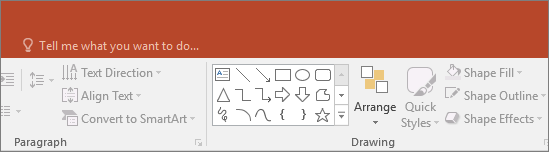
Tell ME helps get quick access to different tools and features of PowerPoint. It is a text field where you'll enter words and phrases associated with what you want to achieve and you’ll quickly get to options you want to use or actions you wish to perform. For example if you type remove it will prompt you action like “Delete Slide”.

shows the "tell me" search box on the ribbon in PowerPoint

It might come handy when you are not able to locate a command on ribbon.

Features that come with 365 subs
There are certain features like Designer, Morph in PowerPoint 2016 which are only available if you have an Office 365 subscription.

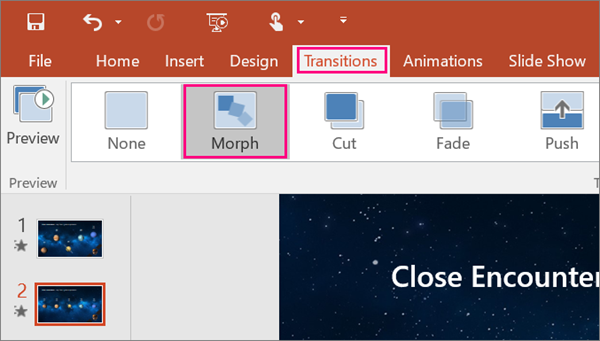
8. Morph Transition
Microsoft has introduced a new transition type, Morph in PowerPoint 2016, which might assist you build smooth animations, transitions, and object movements across the slides in your presentation. You will need to create at least 2 slides with a minimum of one object in common—the easiest method to do so is to duplicate the slide and move the object on the second slide, or you can also copy the object from one slide and paste it on other.


9. PowerPoint Designer
If you are familiar with Visual Bee add-in, you would certainly know what designer do.
PowerPoint Designer is a new service that analyzes your content and automatically generate a different ideas that you can select from to make your slides look awesome.

Here is a video that talks more about Morph and Designer


You can head here for free training on PowerPoint 2016.

Wednesday, January 14, 2015

Create rich interactive lessons with Microsoft Office-MIX

Microsoft is quickly changing and adapting to rapidly changing user behavior and requirements. Last year saw two products from Mircosoft, Sway (competes with Prezi) and Office-Mix (competes with Adobe Presenter, Articulate) launched possibly to save people from death by PowerPoint.

Microsoft Office-Mix is a free PowerPoint Add-in that lets you tell your story with audio, video, annotations, screen recording and interactive element. It helps educators create interactive lessons with slides, media, quizzes and polls. In addition to all these cool features which are otherwise paid in other such Add-ins, Office-Mix provides rich analytics and online sharing.


Though Sway and Office-Mix both are not a new idea, yet it is surely going to be a bliss for educators who will not have to rely on paid software for creation of interactive synchronized lessons. Here is a Mix explaining open number lines-

Thursday, December 18, 2014

Free PowerPoint add-in to record lectures for flipped classroom and courses

WizIQ, an education platform that connects teachers and students online has released a free PowerPoint add-in called WizIQ Recordor. WizIQ Recordor lets teachers create video lectures (MP4) for offline consumption by students. Teachers can record their live audio along with PowerPoint slides and can either share video link with their students or add the video to their online course.

Recordor is an easy-to-use authoring tool that creates synchronized video lectures. The only disadvantage it has is that teachers can only record their audio and not their video(from webcam) or any pre-recorded audio or video file. Adding a functionality to let teachers sync any audio or video file with slides to create a synchronized video lecture would be a great thing to do since this functionality is missing in PowerPoint as well.


Thursday, July 10, 2014

authorSTREAM launches lead capture and organization plans

Presentation sharing platform authorSTREAM, yesterday rolled out new pro plans targeted at enterprise customers. Team and Enterprise  plan would enable small and large organizations to set up their corporate teams on authorSTREAM .The plans provide organizations with better user management, greater control over their content, flexibility to expand team, easier collaboration amongst members and secured sharing.

 
Once an admin sets up the team account, he/she can add new users to his/her team or invite already existing authorSTREAM members to join the team. Each team member gets an individual premium business account with features like unlimited private uploads, unlimited HD video conversions, lead capture, passcode protection, advanced Presentation Analytics, branded embeds, sharing within team and more.
 
authorSTREAM also introduced Lead Capture for all premium plans: Pro, Business, Team and Enterprise. Lead Capturing feature enabling individuals and organizations to generate qualified business leads from their presentations
 
Users can now publish a customized lead capture form on their presentations and also run multiple lead campaigns simultaneously.
 
The platform recently supported direct uploading and sharing of Apple Keynote files and announced that it’s working on supporting more presentation formats.

Given the fact that SlideShare is no more accepting new sign-up for their Pro plans, authorSTREAM's new offering along with lead capturing feature can be a big relief for presentation professionals looking for such service.


Wednesday, June 11, 2014

Upload and share Apple Keynotes (.key) online via authorSTREAM

Online presentation sharing platform authorSTREAM has extended support for Apple Keynotes. Now users can upload and share .Key files online using authorSTREAM. authorSTREAM's output not only works on Facebook or Twitter timeline but  also retains animation and other effects.


By enabling keynotes, authorSTREAM becomes the only platform to support online sharing and embeds of keynote files. Till now Apple keynote users were exporting .key files as PDF in order to upload to SlideShare or other document sharing websites and to get embed code for their blogs and websites. With this new release Mac users can directly upload and share .key files on their blogs, social media or via email.
 

Wednesday, April 2, 2014

View PowerPoint presentations on iPad with free Microsoft app

After a long wait Microsoft office apps are now on iPad. Now you can view PowerPoint presentations with full fidelity along with all animations and transition effects on your iPad. Microsoft recently released different office apps for iPad which includes an app for PowerPoint as well. Microsoft's PowerPoint app lets users view presentations in slideshow mode and supports animations and transition effects.


Prior to this PowerPoint users were either using BrainShark or authorSTREAM's iPad app to view PowerPoint presentations since these were the only apps supporting animation and transition effects. Biggest disadvantage with Brainshark was the wait time required for server side conversion in the format
supported by app. User had to wait for upload, conversion and then download of converted output on iPad.

With MS iPad app slideshow begins as soon as you select MS app to open the presentation. Not only you can view and share presentations that are on your iPad or email but you can also create and edit presentations on your iPad. Creations and editing features are paid and require office 365 subscription.
So if you are addicted to iPad and MS PowerPoint for creating presentations, now you don't have to switch on your laptop for PowerPoint presentations.


Friday, February 28, 2014

Learn from Geetesh Bajaj to create hand made slides that stand out

Who will not like to design presentations that are unique in design, texture? Who will not long for slides that have long lasting impact on viewers? If you want to create presentations that stand out and correctly reflect your style, watch this hour long video by Microsoft MVP Geetesh Bajaj on creating hand made slides.


Below is the textual version to help you understand the basics of hand made slides.

Wednesday, December 18, 2013

How to play presentations on Facebook and Twitter timeline?

Thanks to online presentation sharing websites, lot many people now use presentations to share the information with the world. It's a well known fact that in comparison to video, presentation creation is much easy task and now with availability of  platforms like Slideshare and authorSTREAM which help you reach masses, presentations are also being used as marketing or branding weapon.

Though creating marketing material in presentation is technically easy as compared to a video ad, yet most viral distribution channels aka social media platforms only support videos and photo uploads. However, off late most of the popular social media platforms like G+, Pinterest, Facebook, LinkedIn and Twitter have enabled presentation embeds of SlideShare and authorSTREAM on the timeline or newsfeed. So if you want to play your presentations on these social media platforms, just upload your presentations on authorSTREAM or SlideShare as public upload and share the link on Twitter or Facebook.

While SlideShare presentations play on Pinterest, LinkedIn and Twitter, they fail to play on Facebook. Presentations uploaded on authorSTREAM play on Facebook as well as Twitter timeline. Upload your content on these platforms, share the web link and get more accolades (views, comments, shares, re-tweets) since your audience need not to leave the platform to see your worthy masterpiece.

Friday, November 29, 2013

9Slides: Create online interactive synchronized presentations

9Slides.com is an online tool which lets you create interactive synchronized presentations. You can sync pre-recorded audio or video with a presentation and post it to your blog or share the URL with your audience. 9Slides is quite similar to Present.me and also have a pro version which offers analytics, privacy settings and unlimited captures. Live capture use case has been part of lot of PowerPoint plug-ins like Articulate, authorPOINT or Microsoft producer and PowerPoint users have been using it to create multimedia presentations and class lectures. While all those plug-ins or software are available for one time payment, 9slides.com and Present.me offer online services on a subscription based model.


Though recurring payments can boggle some minds, yet you can't ignore the advantages like presentation statistics, embeds, privacy control, direct web link, branding and reach to wider set of audience.

Wednesday, September 25, 2013

PowerPoint templates and diagrams for just $3.99 @authorSTREAM Templates Marketplace

The scattered PowerPoint templates industry is all set to touch new heights of business with authorSTREAM launching PowerPoint Templates Marketplace. Now you need not to browse through tens of different websites to get the right template for your next presentation. authorSTREAM is offering 20,000 plus PowerPoint templates and diagrams at a price of just $3.99 which is almost half the price of other popular templates websites.

Since launch, authorSTREAM has been focusing only on PowerPoint users. While others like SlideShare, Scribd let you upload and share documents, excel files or videos, authorSTREAM allows only presentations. Be it conducting free webinars on presentation tips, authorSTREAM Desktop plugin, PowerPoint to video feature or PowerPoint templates marketplace, focus of all is on one thing i.e. help presentation creators create and share great presentations without any hassles.

This is a welcome move by authorSTREAM towards making authorSTREAM one stop shop for all the needs of presentation creators. Started with one template provider, authorSTREAM is soon going to get more providers on-board. Given the user base and traffic of authorSTREAM, it should be win-win situation for templates providers and buyers since sale is not all about price but about volumes and who knows in future you get a PowerPoint template for just $2.


Wednesday, August 28, 2013

Is Bunkr going to be a PowerPoint killer?

Since the launch of PowerPoint, a lot has been done around PowerPoint and presentations. Be it online presentation creation, online presentation sharing or desktop plug-ins, there is lot of stuff going on to help people create high quality stunning presentations without the help of professionals.

TechCrunch recently projected Bunkr- an online presentation creation tool as a PowerPoint killer. Like any other presentation creation tools, Bunkr lets you create presentations online which can be exported as PPT.


Largely online presentation creation tools are nowhere near to what desktop presentation software's and plugins offer and same is the case with Bunkr. It offers nothing which is not being offered by Microsoft PowerPoint 2013, Office 365, PowToons and Google presentations. Bunkr's USP is in-built image, video and content search, but then again this feature is already in-built in MS PowerPoint 2013 and authorSTREAM Desktop plugin which also takes care of copyright attribution.

Now at a time when SlideRocket failed to tap the online presentation creation market and Microsoft too offering online presentation creation, it would be interesting to see how long Bunkr goes. Do you also think that Bunkr is going to be a PowerPoint killer?
 

Tuesday, July 2, 2013

PowerPoint 2010 and 2013: What's added and what got removed?

Microsoft has added some new features to PowerPoint 2013 and has discontinued some of the existing features or functionality.

What new features, functionality has been added in PowerPoint 2013?

Eye dropper: Eyedropper the color picker tool helps you copy the shape color and apply to any other shape.


PowerPoint to MP4: PowerPoint 2013 allows you to convert PowerPoint presentations in MP4 video format.

Search and insert images and videos from within PowerPoint: PowerPoint 2013 has inbuilt image and video search engine which lets you search images from Bing, Flickr and videos from Bing and YouTube.

Theme family and variants: PowerPoint 2013 has more themes and flexibility to choose and edit variants.

Presenter View: Changes to presenter view like automatic selection of monitor, jump to slides and zoom in.

Share and publish online

Head here for more details on these and other features added to PowerPoint 2013.

What has been removed or changed in PowerPoint 2013 from earlier versions?

PowerPoint viewer: PowerPoint viewer is a small free exe that lets you view presentations created in PowerPoint 97 and later versions without the need of licensed version of PowerPoint. This has been in use to view PowerPoint presentations on machines that doesn't have purchased versions of MS PowerPoint software.

Now question arises how to view PowerPoint presentations created in 2013 without PowerPoint viewer if you don't have licensed copy of PowerPoint 2013? If you are not worried about animations and media, use Google docs or Slideshare, Scribd. If you are worried about animations and media too, try authorSTREAM or Microsoft web apps.

Save PPT as HTML:  This feature existed so that people can save a PPT as HTML and use that HTML on web to show case the presentation. This feature became obsolete with online presentation sharing websites like Slideshare and authorSTREAM providing embeds that could play your presentations on blogs, website and even on Social media platforms like Facebook, Twitter, LinkedIn.

Media formats: Video (WMV) and Audio (WMA) formats have been default video and audio formats for PowerPoint till 2010. Now default media formats are H.264 for video and AAC for audio.

Equation Editor: Equation Editor the formula editor that that allows you to insert math and science equations in a slide is no longer available in 2013.

Microsoft Clip Organizer:  The Clip Organizer feature has been replaced by the Insert Media dialog box.  Insert Media feature lets you search and insert content from the Office.com Clip Art collection and other online sources, such as Bing Image/Video search, Flickr, and your SkyDrive or Facebook page.


Thursday, May 30, 2013

authorSTREAM brings new embed for blogs that work on all devices

Two most popular ways to showcase your wonderful presentations on your website or blog are i) to upload it to online presentation sharing websites like Slideshare or authorSTREAM and use their embed code ii) convert it to a video, upload the presentation video to your blog or send it to YouTube and use the YouTube embed.

In case of Flash embeds of authorSTREAM, your readers on iPad would be able to read text but would not be able to view the embedded presentation and  if you use Slideshare, you're set to lose all those animations, videos and sound.

YouTube as we know, already handles this situation by streaming compatible player so that your audience get to see the video even on non flash devices. authorSTREAM too has come up with a new embed called Dynamic embed which automatically renders Flash or a HTML player as per availability of flash player on viewer's device. Only disadvantage with this embed is that while your blog readers on Flash compatible devices would enjoy all animations and media, those on iPad would see only static slide images without any sound or video. Presentation below is embedded using authorSTREAM's new dynamic embed and you should be able to view it on all devices. What you use to share your presentation on your blogs and website and why?

Memorial Day- Reel honors real heroes

Thursday, April 18, 2013

Now upload and share PowerPoint presentations in Facebook

authorSTREAM, the presentation sharing platform, today announced upload functionality in its Facebook app. Using authorSTREAM's Facebook app, Facebook users can upload PowerPoint presentations from within Facebook and share them on their wall or with Facebook friends.


authorSTREAM is the second largest presentation sharing platform with capability of handling animations and media in presentation output. authorSTREAM also launched sync functionality where any presentation uploaded on your authorSTREAM account would be available on Facebook app and the those uploaded via Facebook app on authorSTREAM.

Best thing about is that the presentation shared via authorSTREAM plays like a slideshow or YouTube video on Facebook wall. As Facebook only allows you to upload and share photos and videos, authorSTREAM app is certainly a big relief to those who wanted to share PowerPoint presentations on Facebook.


You might also like to read about

Blog Widget by LinkWithin